

RTI Scheduler is an automated schedule generator designed for middle schools, junior high schools, and high schools to manage flexible learning periods, Response to Intervention sessions, and Multi-Tiered System of Supports. The software replaces manual spreadsheets by using automated rules engines, student performance data, and real-time attendance tracking to assign students to targeted academic intervention or enrichment sessions.
Secondary School Logistics and the Flex Period Challenge
Secondary schools face significant operational bottlenecks when organizing non-traditional instructional time. Traditional secondary school schedules rely on fixed periods dedicated to single academic subjects. However, modern educational standards require schools to offer flexible time blocks, often referred to as flex periods, Response to Intervention (RTI) time, or Multi-Tiered System of Supports (MTSS) sessions. These periods allow teachers to provide targeted remediation for struggling learners and acceleration opportunities for advanced students.
Organizing flexible periods across hundreds or thousands of secondary students creates massive administrative complexity. When schools attempt to manage flex scheduling using paper hall passes, shared online spreadsheets, sign-up forms, or informal hallway conversations, the process quickly breaks down. Manual scheduling consumes hours of teacher and administrator time each week, taking focus away from direct student instruction and lesson planning.
Manual systems lead to severe operational failures within secondary campuses. Students who require Tier 2 or Tier 3 academic interventions often fall through the cracks because there is no automated mechanism to force their placement into required remediation sessions. Unstructured flex time frequently degrades into free time or study hall, wasting valuable instructional minutes. Paper-based or uncoordinated systems make tracking student locations across campus during flex blocks impossible, creating safety and accountability risks. Furthermore, schools lack central data records to prove that intervention hours were provided, making it difficult to satisfy compliance requirements during parent conferences, Section 504 meetings, Individualized Education Program (IEP) reviews, or state reporting audits.
RTI Scheduler addresses these logistics challenges by automating student placement, enforcing enrollment restrictions, tracking real-time session attendance, and generating compliance data.
| Operational Parameter | Traditional Manual Scheduling | Automated RTI Scheduler Platform |
| Primary Scheduling Tools | Paper passes, sign-up sheets, shared spreadsheets | Automated rules engine, SIS API sync, central portal |
| Staff Time Consumption | High (multiple hours per teacher and administrator weekly) | Low (automated scheduled runs and reusable templates) |
| Placement Accuracy | Prone to human error, oversight, and missing students | Data-driven auto-enrollment based on real-time triggers |
| Student Location Tracking | Paper hall passes, unreliable central visibility | Session-level attendance exportable by student or campus |
| Compliance & Audit Data | Manual logs, inconsistent documentation across departments | Centralized records of instructional minutes and attendance |
| Student Agency | Limited or uncoordinated self-signup options | Timed self-enrollment windows with priority overrides |
Core Mechanics of Rule Based Auto Enrollment
The primary core of RTI Scheduler is an automated rules engine designed to assign unenrolled or missing students to specific sessions without human intervention. Rather than treating flex period scheduling as a static event, the platform processes data dynamically to match student academic needs with teacher availability.
Data Driven Triggers and Performance Metrics
The rules engine evaluates real-time academic, behavioral, and administrative data points to determine where each student must be placed during a scheduled flex block. School administrators configure specific rules and parameters that govern automated placements.
The system evaluates several core data triggers:
- Academic Performance and Course Grades: The system identifies students falling below grade thresholds in specific courses, such as a student earning a 68 percent in Algebra II.
- Behavior and Support Tags: Custom tags assigned to student profiles, such as a Math Support or Reading Intervention tag, direct the engine to assign appropriate interventions.
- Grade Levels and Academic Teams: Placements can be restricted or prioritized based on student grade level, interdisciplinary team assignments, or specific course rosters.
- Teacher Enrollment Restrictions: Rules enforce specific parameters set by individual instructors, ensuring students meet session prerequisites before placement.
Decision Rules and Matching Strategies
When an automated scheduling run is executed, the rules engine runs unassigned students through a structured decision workflow. For example, if a student with an active low performance trigger in mathematics requires placement, the engine evaluates available sessions.
The matching strategy prioritizes assigning the student to a session hosted by their actual teacher for that subject, such as matching an Algebra II student directly to their assigned Algebra II teacher. The engine filters session access types, distinguishing between open sessions available for general enrollment and closed sessions restricted to specific intervention lists.
The engine screens session eligibility by academic need, ensuring that a student flagged for math remediation is placed strictly into a math intervention session rather than an unrelated club, study hall, or elective activity. Before finalizing any placement, the rules engine checks real-time seat availability against maximum capacity limits set for each room, preventing classroom overcrowding and keeping student-to-teacher ratios low during intervention blocks.
Scheduling Execution and Configuration Reusability
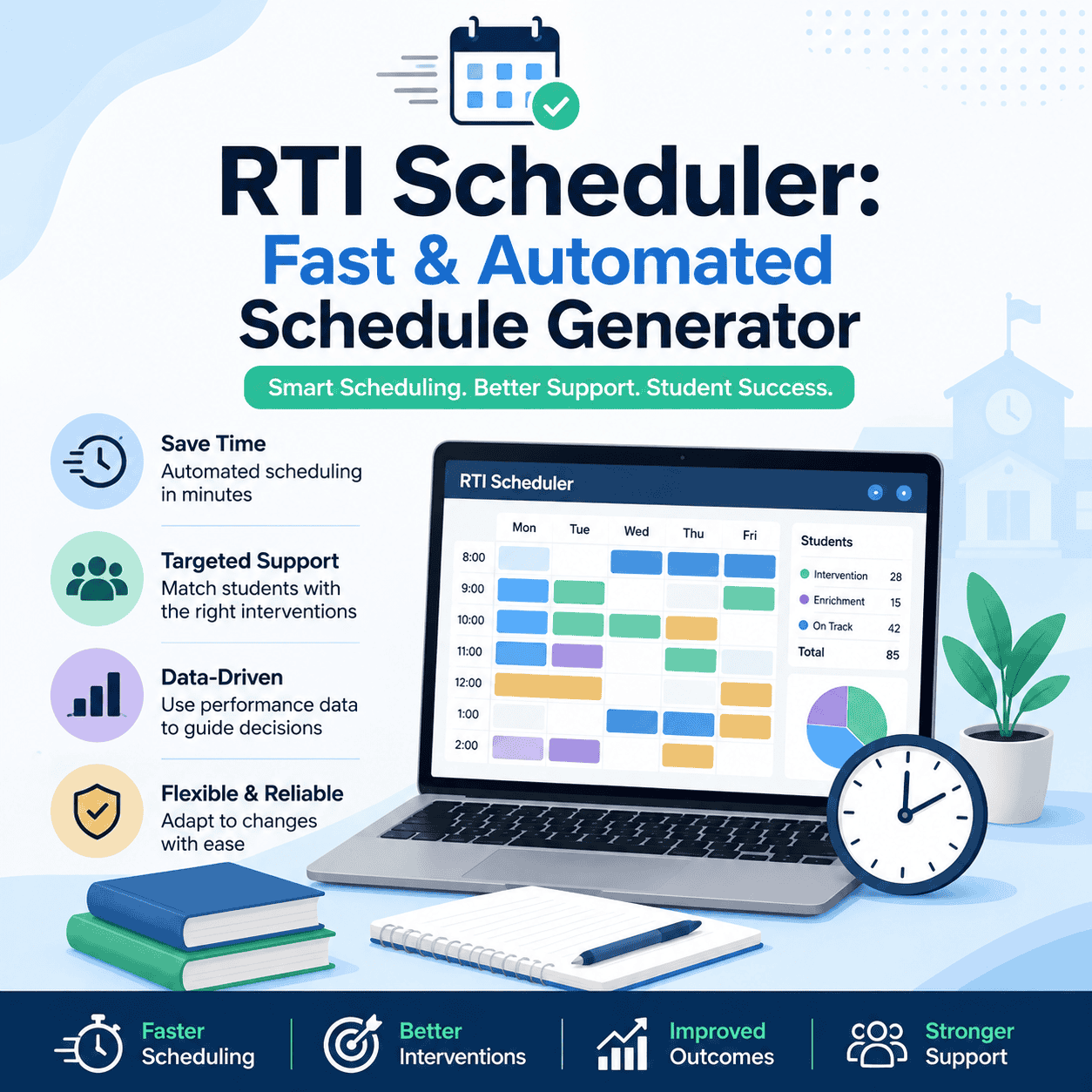
Automated enrollment runs do not need to operate continuously. School administrators can schedule auto-enrollment to trigger at specific times, such as every Friday at 3:00 PM or Monday morning before homeroom.
Furthermore, scheduling configurations can be saved as reusable templates. Once a school sets up its rule hierarchy for a term, administrators can duplicate the configuration across upcoming weeks or trimesters. This reusability reduces repetitive setup tasks and ensures consistent scheduling operations throughout the academic year.
| Decision Criterion | Rule Engine Logic | Operational Outcome |
| Academic Performance Trigger | Scans gradebook for scores below specified percentage (e.g., under 70 percent). | Identifies students requiring mandatory Tier 2 academic support. |
| Teacher Matching Priority | Links flagged student to their current subject-area classroom teacher. | Ensures remediation is delivered by the instructor who assigns core grades. |
| Session Access Screening | Evaluates open versus closed session flags set by session creators. | Prevents unassigned students from joining restricted or intervention-only rooms. |
| Capacity Check & Cap Enforcer | Compares active roster count against room maximum seat capacity. | Blocks over-enrollment and maintains small group intervention sizes. |
| Scheduled Execution Trigger | Executes auto-enrollment algorithm at configured day and time. | Resolves unassigned student schedules automatically before flex period starts. |
Teacher and Student Scheduling Controls
Secondary school schedules must account for competing departmental priorities and varying student needs. RTI Scheduler balances administrative automation with granular user permissions for teachers and students.
Priority Teacher Placement Controls
To handle high-need academic interventions, RTI Scheduler features priority teacher enrollment controls. School schedules often present competing demands between departments for student access during flex blocks. Priority settings allow specific departments or teachers to claim students before general scheduling options open up.
For example, a school can configure priority rules so the mathematics department receives first pick of students on Tuesdays, while the English language arts department receives priority on Thursdays. Teachers can claim high-need Tier 2 or Tier 3 students into closed, locked sessions. Once locked into a closed session by a priority teacher, the student cannot move themselves to another room or be claimed by another instructor without an administrative override.
Teachers also have access to session personalization features. Instructors can create sessions tailored to specific course sections, interdisciplinary teams, or student support tags. They can adjust room capacity, set prerequisites, and switch enrollment modes between open registration, teacher request only, or locked assignments.
Student Choice and Timed Self Enrollment
While priority controls safeguard academic remediation time, RTI Scheduler also supports student self-enrollment to encourage agency and self-direction. Administrators can configure timed self-enrollment windows that open to students at specified days and times, such as opening every Monday morning at 7:00 AM.
Students who are not assigned to mandatory priority interventions can log into the platform to select enrichment sessions, peer tutoring, academic interest clubs, or independent study blocks. This structured autonomy gives students practice in prioritizing tasks, taking responsibility for their learning goals, and engaging in positive campus activities.
| User Role | Scheduling Permissions | Control Mechanisms & Capabilities |
| School Administrator | Master system control across campus. | Sets bell schedules, configures auto-enrollment rules, overrides locks, sends campus alerts. |
| Department Chair / Lead | Departmental priority configuration. | Claims priority days for department teachers, sets subject priority windows. |
| Classroom Teacher | Session creation and roster management. | Creates open/closed sessions, claims students, locks priority rosters, logs attendance. |
| Student | Controlled self-enrollment during open windows. | Selects open enrichment sessions, views assigned room locations, receives schedule reminders. |
Telefónica Liberty Global VMO2 Finances | Revenue, Debt, and Financial Performance
Virgin Media O2’s 2024 finances were mixed, with lower revenue and weaker free cash flow, but the group still generated strong operating cash and…

Technical Architecture and Integration Standards
Secondary school software environments depend on interoperability between administrative databases, learning tools, and authentication systems. RTI Scheduler connects directly into existing school IT infrastructure to eliminate double data entry and prevent roster synchronization errors.
Student Information System Compatibility
The software integrates with major Student Information Systems (SIS) and Learning Management Systems (LMS). Connections are established using standard educational data exchange formats, including OneRoster API standards, secure File Transfer Protocol (SFTP), and direct CSV database syncs.
The platform maintains compatibility across a wide range of administrative educational platforms:
- PowerSchool
- Skyward
- Infinite Campus
- Synergy
- Aeries
- Canvas LMS
- Aspire
- eSchoolPlus
- SchoolTool
- Harmony
- TeacherEase
- SylogistEd
- Aequitas Q
By maintaining direct synchronization with the central SIS, RTI Scheduler updates course rosters, student schedules, section enrollments, and teacher assignments automatically. When a student changes classes, enrolls in a school, or withdraws from a district, their profile and scheduling privileges update within the platform without requiring manual IT intervention.
Authentication and Identity Provisioning
To simplify security management and user access, RTI Scheduler uses standard Single Sign-On (SSO) and automated identity provisioning systems. Teachers and students authenticate into the system using their existing school-issued credentials, removing the need to manage separate usernames and passwords.
Supported authentication and rostering providers include:
- Clever Instant Login and Clever Secure Sync
- ClassLink
- Google SSO
- Microsoft SSO
Platform Integration within Minga
RTI Scheduler operates as a core component of the Minga campus management platform. This architecture allows secondary schools to consolidate flex scheduling alongside broader operational workflows.
Integrating flex period management into a unified campus platform connects scheduling data with digital hall passes, student identification systems, behavior management tools, and campus communication channels. When a student is assigned to a specific flex session, their status is visible across campus security and hall management tools, ensuring consistent policy enforcement and student safety throughout the school day.
| Integration Category | Protocol / Mechanism | Supported Systems & Standards | Operational Benefit |
| SIS Database Sync | OneRoster API, SFTP, Direct CSV | PowerSchool, Skyward, Infinite Campus, Synergy, Aeries, Canvas | Automates roster creation and eliminates double data entry. |
| Identity & SSO | OAuth 2.0, SAML 2.0, Secure Sync | Clever, ClassLink, Google SSO, Microsoft SSO | Provides instant, single-credential login for staff and students. |
| Campus Ecosystem | Unified API / Platform Architecture | Minga Campus Management Platform | Links flex schedules with digital hall passes and safety tools. |
Attendance Monitoring and Compliance Documentation
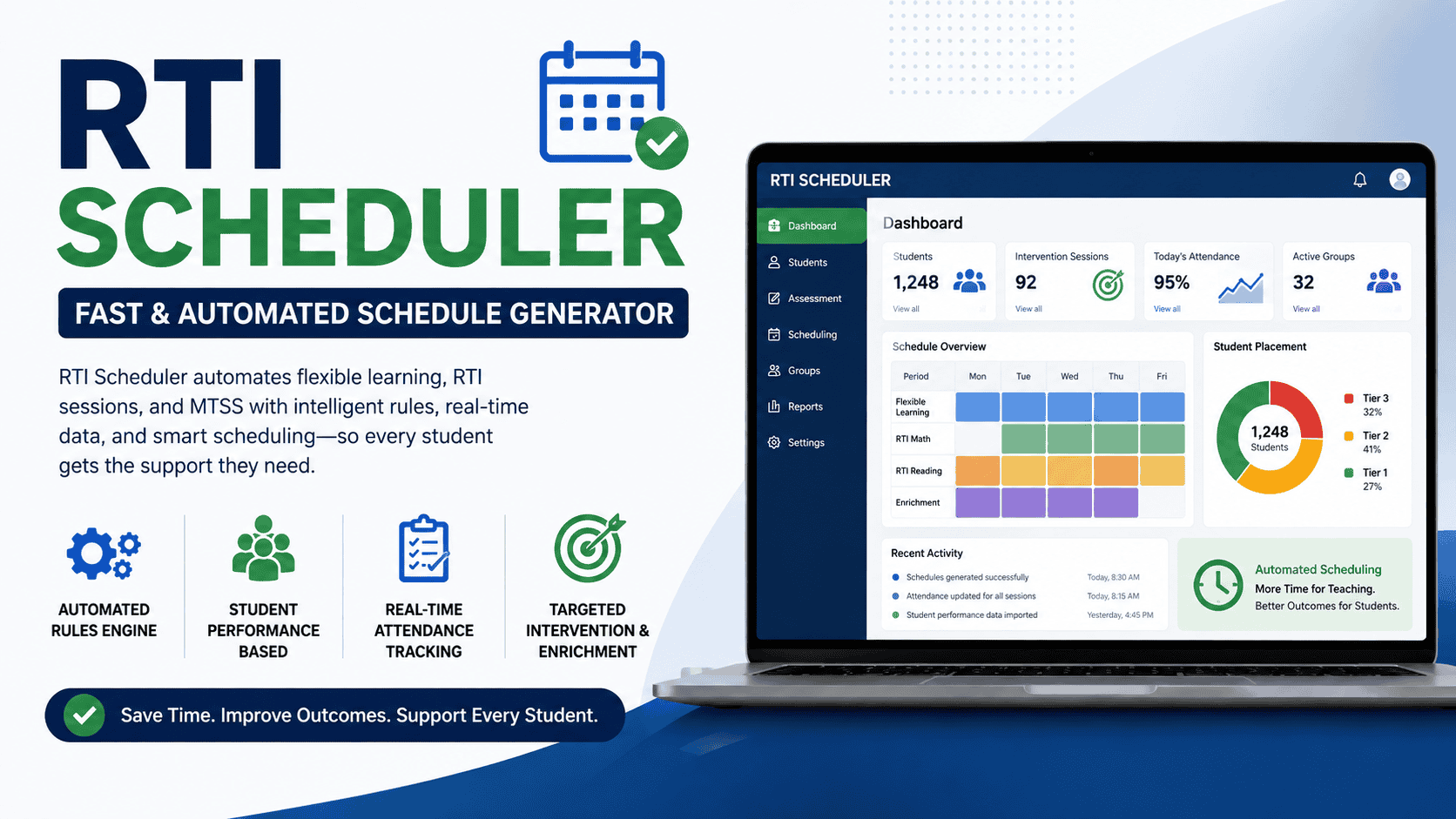
Educational accountability requires precise tracking of student locations and instructional participation. RTI Scheduler provides tools to take real-time attendance, monitor instructional minutes, and generate data exports for administrative and legal compliance.
Session Level Attendance and Campus Visibility
During flex and RTI periods, students disperse across secondary campuses to attend different intervention sessions, enrichment workshops, or lab sessions. RTI Scheduler gives teachers session-level attendance monitoring tools.
Instructors open their session roster within the portal to mark student attendance in real time. If a student assigned to a specific math intervention fails to report to the room, the teacher records the absence immediately. Because administrators have central visibility across all sessions campus-wide, school leadership can identify missing students instantly, verify hall movement, and eliminate unexcused absences during non-traditional periods.
Tracking Instructional Minutes for State Mandates
State departments of education increasingly mandate strict tracking of instructional minutes provided to students receiving academic intervention services. State level accelerated instruction mandates, such as Texas House Bill 1416, require school districts to prove that students who did not meet standards on state assessments received specified hours of targeted supplemental instruction.
RTI Scheduler includes built-in tracking for instructional minutes. The platform tallies the exact amount of time each student spends in targeted intervention sessions throughout the school year. Administrators can pull comprehensive reports displaying cumulative instructional hours logged per student, per subject, or across demographic subgroups, ensuring full compliance with state auditing mandates.
Legal Compliance and Progress Meeting Documentation
Federal legal frameworks govern student support structures in public education. Key legal standards include:
- Individuals with Disabilities Education Act (IDEA): Mandates Child Find responsibilities to identify and evaluate students with disabilities, alongside legally binding Individualized Education Programs (IEPs).
- Section 504 of the Rehabilitation Act: Mandates specific accommodations and support plans for qualifying students with disabilities.
- Every Student Succeeds Act (ESSA): Requires schools to track disaggregated subgroup performance and deliver evidence-based academic interventions.
- Family Educational Rights and Privacy Act (FERPA): Governs student record privacy and secure management of intervention data.
When secondary school teams host IEP reviews, Admission, Review, and Dismissal (ARD) committee meetings, Section 504 accommodation reviews, or parent-teacher progress conferences, they must present clear documentation of provided academic supports. RTI Scheduler produces ready-to-share exportable reports detailing session attendance history, targeted interventions attended, and cumulative progress tracking. This objective data eliminates reliance on informal teacher recollections, ensuring that schools demonstrate high fidelity to student intervention plans.
| Regulatory Framework | Operational Requirement | System Compliance Mechanism |
| IDEA (Child Find & IEPs) | Documented provision of specialized intervention minutes and progress monitoring. | Session-level attendance logs exportable into IEP documentation. |
| Section 504 Plans | Verification of academic accommodations and structured learning supports. | Trackable assignment into specialized support and counseling flex sessions. |
| ESSA Subgroup Standards | Equitable access to academic intervention and disaggregated student reporting. | Automated tiering rules based on objective course grade and benchmark data. |
| State Minute Mandates | Strict audit verification of supplemental instructional hours per student. | Cumulative instructional-minute tracking engines and campus-wide audit reports. |
| FERPA Data Security | Protection of confidential student records, tags, and intervention histories. | Encrypted integrations, role-based user access controls, and SSO integration. |
Implementation Frameworks for School Schedule Models
Secondary schools utilize different structural models to embed intervention and enrichment into the school day. RTI Scheduler adapts to these varying bell schedules without requiring a rigid, single format.
Operationalizing MTSS Tiered Interventions
RTI Scheduler translates the structural tiers of MTSS and RTI frameworks into daily operational schedules.
MTSS frameworks organize student support into three distinct tiers:
- Tier 1 (Universal Support): Core classroom instruction delivered to all students. During flex blocks, Tier 1 students who have mastered core standards participate in enrichment sessions, advanced coursework acceleration, peer mentoring, or interest-based activities.
- Tier 2 (Targeted Intervention): Small-group supplemental instruction provided to students who exhibit specific skill deficits or falling grades. RTI Scheduler auto-enrolls Tier 2 students into targeted remediation labs led by content specialists.
- Tier 3 (Intensive Support): Highly individualized, high-intensity interventions for students with significant academic or behavioral needs. Priority teacher enrollment controls ensure Tier 3 students are locked into small, specialized group sessions with interventionists, special education staff, or counselors.
Structural Bell Schedule Designs
Secondary schools implement flex time using several established bell schedule structures:
- What I Need (WIN) Time: Dedicated daily or multi-day blocks lasting 20 to 30 minutes embedded between standard periods, where students receive targeted support based on current academic needs.
- Power Hour: A consolidated period, often combined with mid-day lunch schedules, allowing students to divide time between academic help, club meetings, and lunch.
- Block-Day Flex Time: Longer blocks lasting 45 to 60 minutes scheduled on block days (such as Tuesdays and Thursdays), ideal for extended laboratory interventions, major project acceleration, or department drop-in centers.
These periods are scheduled at a common time across the entire campus, ensuring all students are engaged simultaneously. RTI Scheduler allows administrators to configure recurring schedules matching these blocks, whether they occur daily, twice a week, or on specific block days.
Socials and Softwares Aliensync Guide | Features, Advantages, and User Insights
Socials and Softwares Aliensync is described as a digital platform that brings social media, apps, and software management into one place.

Reducing Stigma and Promoting Equitable Access
Embedding intervention and enrichment blocks into the regular school day resolves a major equity issue in secondary education. Traditional remediation models force struggling students to stay after school, attend zero-period classes, or miss core elective subjects like art, music, or physical education. After-school models discriminate against students who rely on district bus transportation, hold part-time jobs, or have family caregiving obligations.
Creating a campus-wide flex period supported by RTI Scheduler ensures all students access academic support during regular school hours. Furthermore, because every student on campus moves to a scheduled flex location at the same time, academic remediation is normalized. Students attending Tier 2 or Tier 3 interventions do so alongside peers who are attending clubs, study periods, or enrichment sessions, removing the negative social stigma associated with pull-out remediation programs.
Administrative Setup and System Evaluation
Deploying RTI Scheduler involves a structured administrative onboarding process.
- System Authentication: IT staff pair the platform with identity providers and district SIS software using OneRoster API or secure SFTP connections.
- Calendar & Priority Setup: Leadership defines bell schedule blocks, sets recurring frequencies, and configures departmental priority enrollment windows.
- Auto-Enrollment Configuration: Administrators set rules engine parameters, establishing grade thresholds, room capacities, and support tags.
- Staff & Student Orientation: Teachers learn session creation and attendance features, while students learn how to access the self-enrollment portal.
- Sandbox Evaluation: Schools can run 30-day trials using generated mock data to test rule configurations, evaluate seat capacity distribution, and train staff before launching full campus scheduling.
| Deployment Phase | Action Items | Key Stakeholders | Deliverables |
| 1. Technical Integration | Pair SIS via OneRoster/SFTP; configure Clever/ClassLink SSO. | District IT Director, Systems Administrator | Automated roster sync and SSO login access. |
| 2. Policy & Calendar Setup | Set flex period schedule, department priority days, room caps. | Campus Principal, MTSS Coordinator | Master flex calendar and priority rules matrix. |
| 3. Rules Engine Setup | Configure grade triggers, support tags, auto-enrollment logic. | MTSS Team, Instructional Coaches | Automated rules logic and scheduled run times. |
| 4. Staff Training & Trial | Conduct staff walkthroughs; run 30-day sandbox trial with mock data. | Teachers, Department Leads | Staff proficiency in session creation and attendance. |
| 5. Full Campus Launch | Open student self-enrollment window; launch scheduled batch runs. | Whole Campus Community | Live automated flex period scheduling operation. |
